Know who is coming before they reach the door
Every guest has a profile with visits, tags and notes. And every month has its numbers: when you fill up, where bookings come from and how many guests do not show up.
Regular guests feel like regulars
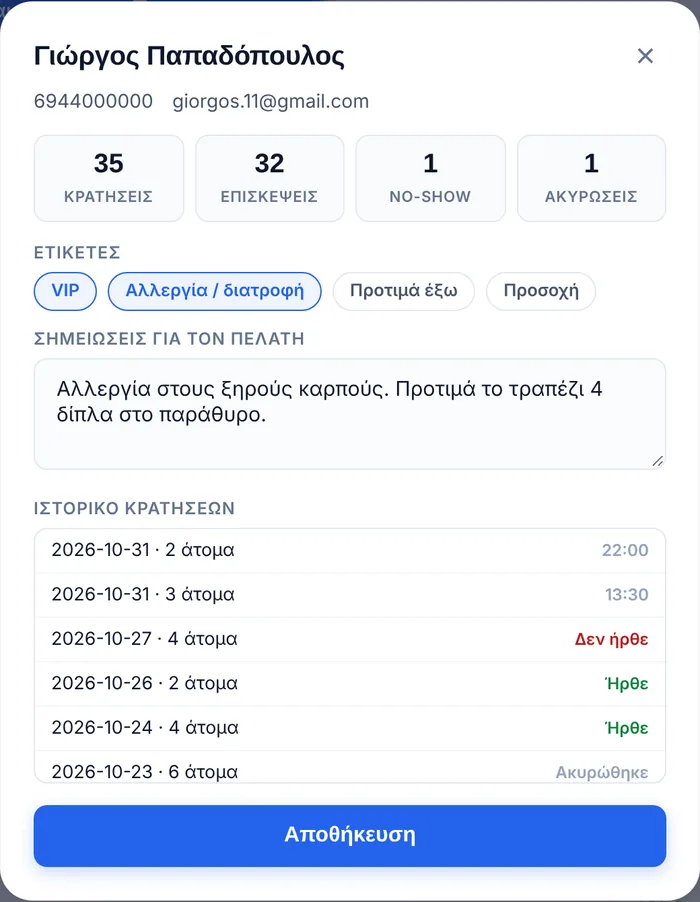
Type the phone number or name and you see straight away who it is: how many times they have visited, whether they are VIP, whether they have an allergy, where they like to sit.
- Counters: bookings, visits, no-shows, cancellations.
- Tags: VIP, allergy or diet, prefers outdoors, attention.
- Notes that all your staff can see.
- History with every booking and whether they arrived.
Your restaurant’s numbers on one screen
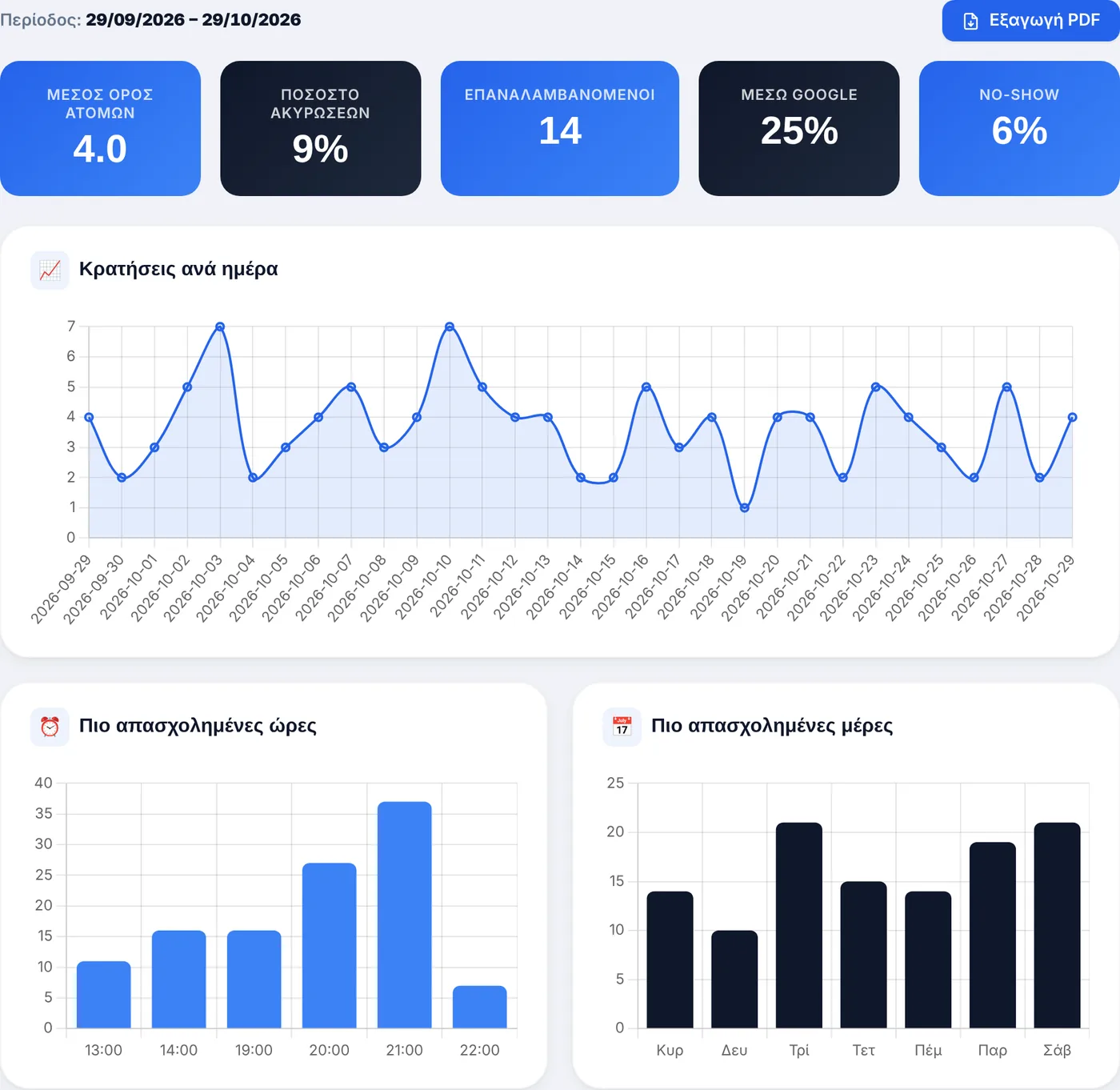
Choose a period and see how it went. No spreadsheets, no notebook.
Peak hours and days
When you fill up and when you do not, so you can plan shifts and staff.
Where they come from
Google, website, social media, direct link, phone or walk-in, as percentages.
Regular guests
Who comes most often, and how many visits each one has.
PDF report
Key numbers, findings and suggestions for the period you chose, with one button.
About guests and analytics
How does the system recognise a guest?
By their phone number. When you add a booking and type a phone number or name, the system finds the guest, fills in their details and shows how many times they have visited. The same happens with online bookings.
What does the guest profile store?
Bookings, visits, no-shows and cancellations, their history with dates, tags (VIP, allergy or diet, prefers outdoors, attention) and free-text notes, for example “nut allergy”.
Which analytics can I see?
Bookings per day, busiest hours and days, guests per week and month, booking source, area (indoors or outdoors), occasions, how far in advance guests book and your most regular guests. At the top you see the average party size, cancellation rate, no-shows and how many came from Google.
Can I export a report?
Yes. Choose a period and tap “Export PDF”. The report contains the key numbers, main findings and suggestions, ready for your business partner or accountant.
Who can see my guests’ details?
They are not shown publicly anywhere. You see them from your restaurant’s account, and they are not used to suggest other restaurants to your guests. More in our Privacy Policy.
How do I track no-shows?
At the end of the evening, mark each booking “Arrived” or “No-show”. The no-show rate appears in your analytics, and each guest’s profile shows how many times they did not come.
Try it in your own restaurant
14 days free with every feature, no card required. Then from €99 a year, with no commission per booking.